What Is a GPU Bottleneck?
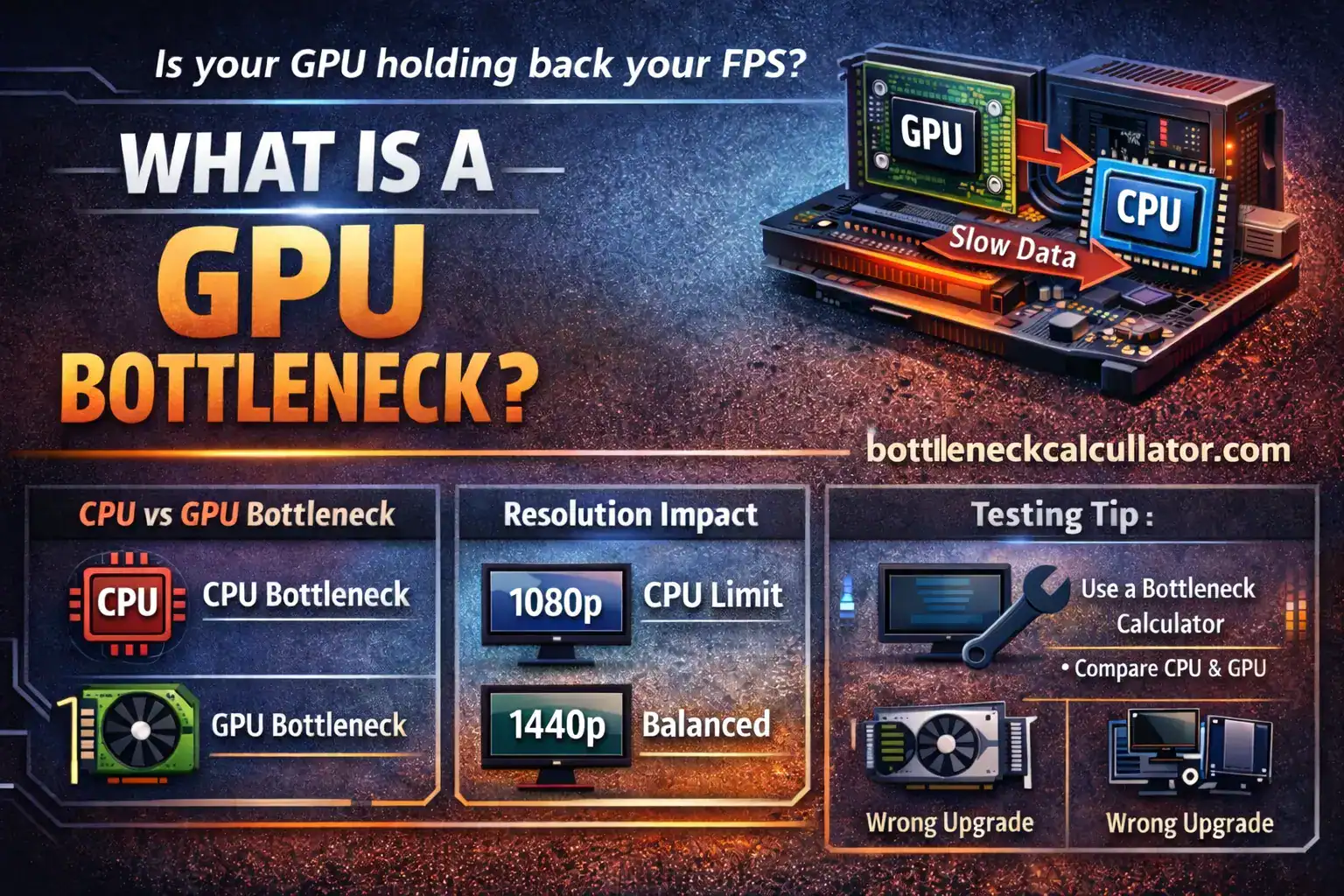
What is a GPU bottleneck? Learn how CPU, resolution, and settings affect GPU performance, with real gaming examples and simple explanations.
Why Your PC Feels Slower Than It Should
You built a gaming PC.
The specs look good on paper.
But games do not run as expected.
FPS feels low.
GPU usage looks strange.
You start asking one question.
Is my GPU being bottlenecked?
This guide explains that problem in simple words.
No marketing talk.
Just real experience from PC building and gaming.
What Does “GPU Bottleneck” Mean?
A GPU bottleneck happens when your graphics card cannot work at full speed.
Another part of your system slows it down.
Most of the time, that part is the CPU.
Sometimes it is RAM, resolution, or game settings.
Think of your PC like a team.
If one player is slow, the whole team slows down.
GPU Bottleneck in Simple Language
Your GPU renders frames.
Your CPU prepares data for those frames.
If the CPU cannot keep up, the GPU waits.
That waiting is the bottleneck.
Your GPU may show 60% usage.
You expected 95% or more.
That gap is the problem.
Real Example From Gaming PCs
Let’s say you pair:
- RTX 4070
- Intel Core i3 9th gen
You launch a modern AAA game.
Your GPU is powerful.
Your CPU is old.
The CPU struggles with game logic and draw calls.
The GPU waits for instructions.
Result:
Lower FPS than expected.
That is a classic GPU bottleneck.
GPU Bottleneck vs CPU Bottleneck
Many users mix these two.
They are related but not the same.
GPU Bottleneck
- GPU is the limiting part
- GPU usage stays near 100%
- CPU usage is lower
This is common at higher resolutions.
CPU Bottleneck
- CPU is the limiting part
- GPU usage stays low
- CPU usage is very high
This is common at 1080p.
Both affect performance.
But fixes are different.
Why Resolution Matters So Much
Resolution changes workload balance.
This is very important.
1080p Gaming
At 1080p, the CPU works harder.
Frames are generated faster.
This can cause CPU bottlenecks.
Even with strong GPUs.
Many esports players face this issue.
1440p Gaming
At 1440p, load shifts to the GPU.
CPU pressure drops slightly.
Balanced systems perform best here.
This resolution hides minor CPU limits.
It is a sweet spot for many gamers.
4K Gaming
At 4K, GPU does most of the work.
CPU matters less for FPS.
GPU bottlenecks are common here.
Even high-end cards can struggle.
Settings matter a lot at this level.
How Game Settings Change Bottlenecks
Graphics settings change workload balance.
High shadows and ray tracing hit the GPU.
Crowd density and physics hit the CPU.
Lower settings can increase CPU load.
Higher settings usually increase GPU load.
This is why results change between games.
Why There Is No “Perfect” Bottleneck Percentage
Many users want one number.
That is not realistic.
Bottlenecks change based on:
- Game engine
- Resolution
- Graphics settings
- Background apps
- Cooling and power limits
One system behaves differently in every game.
That is normal.
Checking GPU Bottlenecks the Smart Way
You can guess by monitoring usage.
But guessing is not accurate.
A better approach is testing combinations.
Online bottleneck calculators help here.
They simulate CPU and GPU pairing behavior.
I personally use bottleneckcalcullator.com.
It gives realistic results compared to others.
Use it as a guide, not absolute truth.
Why Testing Different Combinations Helps
Do not lock yourself to one setup idea.
Test alternatives.
Example:
- Ryzen 5 vs Ryzen 7
- RTX 3060 vs RTX 4060
Sometimes a small CPU upgrade fixes everything.
Sometimes GPU upgrade gives better value.
Testing saves money.
Common Mistakes People Make
Chasing Zero Bottleneck
No system has zero bottleneck.
Every PC has a limit somewhere.
Balance matters more than perfection.
Ignoring Resolution
People upgrade CPUs without changing resolution.
The problem stays.
Resolution often matters more than hardware.
Trusting One Game Benchmark
One game is not enough.
Engines behave differently.
Always test multiple titles.
Upgrading the Wrong Part
Many users buy a stronger GPU.
But CPU is the real issue.
This causes disappointment.
Signs You Might Have a GPU Bottleneck
Look for these clues:
- GPU usage stays low
- CPU usage hits 90–100%
- FPS drops in busy scenes
- Lowering resolution gives no FPS gain
These signs point to imbalance.
Can RAM Cause GPU Bottlenecks?
Yes, sometimes.
Slow RAM hurts CPU performance.
That indirectly affects the GPU.
Single-channel RAM is another issue.
It limits data flow.
Always use dual-channel memory if possible.
What About Cooling and Power?
Thermal throttling can mimic bottlenecks.
Same for power limits.
If CPU or GPU overheats, it slows down.
Performance drops look like bottlenecks.
Always monitor temperatures first.
Is a GPU Bottleneck Always Bad?
No, not always.
A GPU bottleneck means full GPU usage.
That is often ideal for gaming.
CPU bottlenecks feel worse.
They cause stutter and frame drops.
Balance depends on your goals.
Practical Tips From Experience
- Match CPU tier with GPU tier
- Avoid extreme mismatches
- Choose resolution before upgrading
- Test real games, not just benchmarks
- Use calculators as guidance
- Monitor usage with trusted tools
Small choices make big differences.
When You Should Worry About It
You should care if:
- FPS is much lower than expected
- GPU never hits high usage
- Games stutter despite strong GPU
If games run smoothly, stop worrying.
Specs are tools, not trophies.
Final Thoughts
A GPU bottleneck is not a mystery.
It is just imbalance.
Every PC has limits.
Your job is managing them wisely.
Understand your resolution.
Understand your games.
Test combinations.
Use bottleneck calculator tools carefully.
Most important, enjoy your games.
That is why you built the PC.
FAQ
What is a GPU bottleneck in gaming?
A GPU bottleneck happens when another component limits the graphics card.
Most often, the CPU cannot send data fast enough.
This prevents the GPU from running at full usage.
Is GPU bottleneck worse than CPU bottleneck?
No, a GPU bottleneck is usually normal.
It means the GPU is fully used, which is expected in many games.
CPU bottlenecks feel worse because they cause stutter and FPS drops.
Should I upgrade CPU or GPU first?
It depends on your resolution and usage.
Low resolution usually benefits from a CPU upgrade.
Higher resolution often benefits more from a GPU upgrade.
Does 4K remove CPU bottlenecks?
Mostly, yes.
At 4K, the GPU handles most of the workload.
However, some CPU-heavy games can still hit limits.
Can a bottleneck calculator be trusted?
Yes, but only as a guideline.
Actual results change based on games, settings, and system health.
Always test real gameplay for confirmation.
Can overclocking reduce a GPU bottleneck?
Yes, in some cases.
Overclocking the CPU can reduce CPU limits slightly.
Results depend on cooling and system stability.
Does a GPU bottleneck damage hardware?
No, it does not damage hardware.
Bottlenecks only affect performance, not component lifespan.
Modern parts are designed to handle this safely.
Why is my GPU usage low but FPS is also low?
This usually indicates a CPU bottleneck.
The GPU waits because the CPU cannot keep up.
Background apps can worsen the issue.
Can game updates change bottleneck behavior?
Yes, they can.
Updates may increase CPU or GPU workload.
Driver updates can also shift performance balance.
Is upgrading RAM useful for reducing bottlenecks?
Yes, in some systems.
Dual-channel RAM improves CPU performance noticeably.
Faster RAM can reduce minor CPU limits.
[…] GPUs matter more […]
[…] is where the idea of a CPU bottleneck vs GPU bottleneck comes in. Many gamers hear these terms. Few truly understand […]