Is Bottleneck Bad for Gaming?

You upgraded your graphics card, but your FPS did not improve much. Now people are saying your PC has a bottleneck. That can be confusing, especially if you are new to PC gaming. So let’s answer the real question in simple words: is a bottleneck actually bad for gaming, or is it just normal?
You just upgraded your GPU.
You expected higher FPS.
But your games still stutter.
Now you hear people say, “It’s a bottleneck.”
So you ask: Is bottleneck bad for gaming?
The short answer: sometimes yes, sometimes no.
It depends on your hardware, your resolution, and your settings.
Let’s break it down in simple terms.
What Is a Bottleneck in Gaming?
A bottleneck happens when one part of your PC limits another part.
In gaming, this usually means:
- The CPU is too weak for the GPU
- Or the GPU is too weak for the CPU
Think of it like traffic on a road.
If one lane is narrow, cars slow down.
Your system works the same way.
The slowest part controls the speed.
If you are unsure about your setup, you can check your exact CPU and GPU combination using our Bottleneck Calculator.
CPU Bottleneck Explained in Simple Words
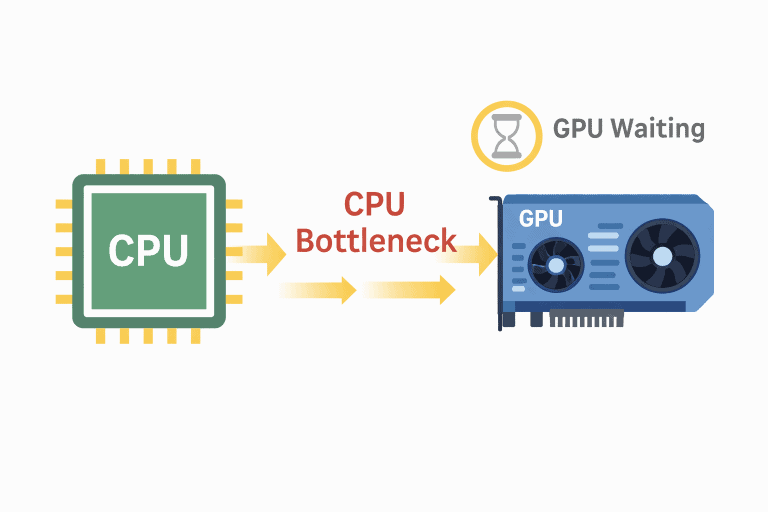
A CPU bottleneck happens when your processor cannot keep up with your graphics card.
The CPU handles:
- Game logic
- AI
- Physics
- Background tasks
If it is too slow, your GPU waits for instructions.
For example:
You pair a modern GPU like an RTX 4070 with an older CPU like an i5-7600K.
In many modern games, the CPU struggles.
Your GPU usage may sit at 60%.
You will not get the full FPS your GPU can deliver.
That is a CPU bottleneck.
GPU Bottleneck Explained
A GPU bottleneck is different.
Here, your CPU is strong enough.
But your graphics card cannot keep up.
This usually happens at higher resolutions.
For example:
You use a Ryzen 7 7800X3D with an RTX 2060.
At 1440p or 4K, the GPU is at 99% usage.
The CPU sits relaxed at 40%.
Your FPS is limited by the GPU.
This is a GPU bottleneck.
And in most gaming cases, this is normal.
Is Bottleneck Actually Bad?
Here is the truth from years of building PCs.
Some bottleneck is always present.
No system is perfectly balanced.
The real question is:
Does it hurt your gaming experience?
If you get smooth FPS and stable gameplay, it is not a big issue.
But if you see:
- Stutters
- Frame drops
- Low GPU usage
- High CPU usage
Then yes, it can hurt performance.
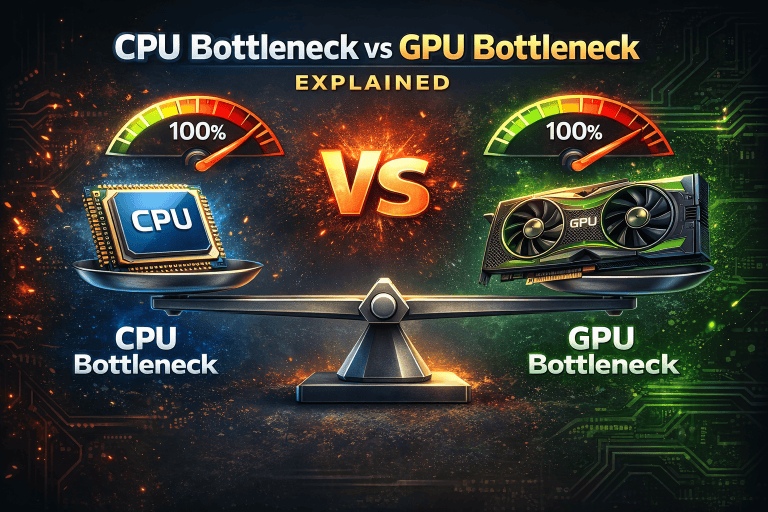
CPU Bottleneck vs GPU Bottleneck: Which Is Worse?
For gaming, a CPU bottleneck is usually worse.
Why?
Because it can cause:
- Stuttering
- Inconsistent frame times
- Lower minimum FPS
A GPU bottleneck usually just lowers maximum FPS.
For example:
At 4K resolution, most systems are GPU limited.
That is normal and expected.
But at 1080p, if your CPU is weak, you may see unstable FPS.
That feels worse in competitive games.
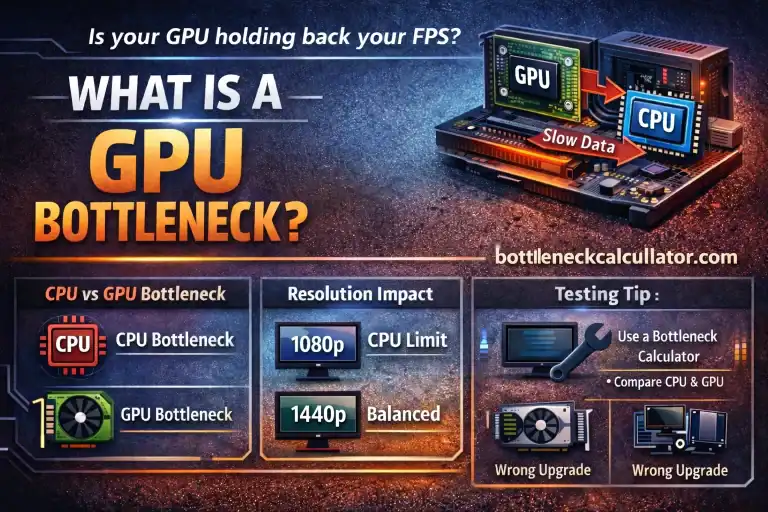
How Resolution Changes Everything
Resolution plays a huge role in bottlenecks.
1080p Gaming
At 1080p, the load on the GPU is lighter.
This means the CPU becomes more important.
If your CPU is weak, you will notice it more at 1080p.
This is why esports players use strong CPUs.
Games like:
- CS2
- Warzone
- Fortnite
Can be very CPU heavy at 1080p.
1440p Gaming
At 1440p, the balance shifts.
The GPU works harder.
The CPU still matters, but less than at 1080p.
Most modern mid-range CPUs handle 1440p well.
This is a sweet spot for many gamers.
4K Gaming
At 4K, the GPU does most of the work.
Even high-end CPUs do not make a huge difference.
You are almost always GPU limited at 4K.
This is not a bad thing.
It simply means you need a strong graphics card.
Real-World Example: Balanced vs Unbalanced Builds
Let’s compare two setups.
Setup A
- i5-12400
- RTX 4060
- 16GB RAM
This is a balanced 1080p system.
You get stable FPS in most games.
No major bottleneck issues.
Setup B
- i3-8100
- RTX 4070
- 16GB RAM
At 1080p, the CPU struggles.
The GPU cannot stretch its legs.
You paid for power you cannot fully use.
That is a noticeable CPU bottleneck.
Why Bottleneck Results Vary
Many users get confused because results are not the same for everyone.
That is normal.
Performance depends on:
- Game engine
- Graphics settings
- Resolution
- Background apps
- RAM speed
- Cooling
For example, one game may use 6 CPU cores.
Another may use only 2.
One title may stress the GPU heavily.
Another may depend on CPU physics.
That is why bottleneck is not a fixed number.
Should You Worry About Bottleneck?
Not always.
If:
- Your FPS meets your monitor refresh rate
- Your system feels smooth
- There is no stutter
Then you are fine.
Chasing zero bottleneck is not realistic.
Focus on smooth gameplay.
Common Mistakes Gamers Make
1. Overspending on GPU With Weak CPU
Many beginners buy the strongest GPU they can afford.
But they keep an old CPU.
This often creates a CPU bottleneck at 1080p.
2. Ignoring Resolution
Some people test at 1080p and panic.
Then they move to 1440p and performance stabilizes.
Resolution changes the balance.
3. Trusting Random Opinions
Online forums give mixed advice.
What works for one setup may not work for yours.
Every system is different.
4. Forgetting About RAM and Storage
Slow RAM can hurt CPU performance.
Single-channel RAM reduces FPS in some games.
Even background apps can increase CPU load.
How to Check If Your PC Has a Bottleneck
The best way is to monitor usage while gaming.
Use tools like:
- MSI Afterburner
- Task Manager
Check:
- CPU usage
- GPU usage
- Frame times
If GPU is at 99% and CPU is below 70%, that is normal GPU limitation.
If CPU is near 100% and GPU is low, that suggests CPU bottleneck.
You can also use an online bottleneck calculator to get an estimate.
These tools compare your CPU and GPU combination.
They give a rough idea of balance.
Keep in mind, calculators are not perfect.
They provide guidance, not exact FPS.
Still, they are helpful before buying new parts.
Should You Upgrade CPU or GPU?
It depends on your situation.
If you play at 1080p and your CPU is old, upgrade the CPU first.
If you play at 4K and FPS is low, upgrade the GPU.
Always match the upgrade to your resolution and game type.
Competitive gamers need stronger CPUs.
Story-driven 4K gamers need stronger GPUs.
Testing Different Combinations
If you are building a new PC, test combinations before buying.
Try:
- Mid-range CPU + high-end GPU
- High-end CPU + mid-range GPU
See how the balance changes.
You can simulate combinations using an online bottleneck calculator.
It helps you avoid wasting money.
Then read benchmarks for your favorite games.
Real game data is always better than theory.
Practical Tips From Experience
- Aim for balance, not perfection.
- Match your build to your monitor resolution.
- Avoid extreme mismatches in parts.
- Keep drivers updated.
- Enable XMP for RAM.
- Close background apps while gaming.
Most bottleneck problems are solved with smart planning.
Is 10% or 20% Bottleneck Bad?
Small bottlenecks are normal.
If a tool shows 10% or 15%, do not panic.
Real-world performance matters more than percentages.
Look at actual FPS and smoothness.
Numbers on a website are just guidance.
Final Thoughts: Is Bottleneck Bad for Gaming?
Bottleneck is not automatically bad.
Every PC has some limitation.
The key is balance.
A CPU bottleneck can hurt competitive gaming.
A GPU bottleneck at high resolution is expected.
Before upgrading, test your system.
Check usage during games.
Use an online bottleneck calculator to compare parts.
Then make decisions based on your resolution and game type.
Build smart, not just powerful.
Smooth gameplay is what really matters.
Frequently Asked Questions
1. Is bottleneck bad for gaming?
Not always. It becomes a problem only if it causes low FPS or stutter.
2. What is a bottleneck in gaming?
It happens when one PC part limits another, usually the CPU or GPU.
3. Is CPU bottleneck worse than GPU bottleneck?
Yes. CPU bottlenecks often cause unstable frame rates.
4. Does 1080p cause more CPU bottleneck?
Yes. Lower resolution puts more pressure on the CPU.
5. Is GPU bottleneck normal at 4K?
Yes. Most 4K gaming setups are GPU limited.
6. Can bottleneck damage my PC?
No. It only affects performance.
7. How do I check for bottleneck?
Monitor CPU and GPU usage while gaming.
8. Is 10 percent bottleneck bad?
No. Small percentages are normal.
9. Should I upgrade CPU or GPU first?
It depends on your resolution and usage.
10. Does RAM affect bottleneck?
Yes. Slow RAM can reduce CPU performance.
11. Can background apps cause bottleneck?
Yes. They increase CPU load.
12. Is bottleneck different in every game?
Yes. Every game uses hardware differently.
13. Does 4K reduce CPU bottleneck?
Yes. It shifts more work to the GPU.
14. Can strong GPU fix weak CPU?
No. The CPU can still limit performance.
15. Why is my GPU usage low?
Your CPU may be the limiting factor.
16. Is bottleneck important in esports games?
Yes. Stable high FPS is important.
17. Should beginners worry about bottleneck?
Only if performance feels unstable.
18. Are bottleneck calculators accurate?
They give estimates, not exact FPS.
19. Is perfect balance possible?
No. One part will always limit slightly.
20. Can changing graphics settings help?
Yes. Adjusting settings can shift workload.